 Having different types of content is not only a great idea to bring new traffic but it also helps retain both returning and new visitors.
I’ve seen many people put videos from their channel into their site, either in a post or on the side, this is great idea because it makes me (the visitor) stay longer, but what happens if I want to watch another video?…I have to leaver the site! Wouldn’t you rather have me watch those videos in your site so that when I am done watching I might read another article on your blog? Well, let me show you how you can embed a sexy video strip from your channel anywhere in your site, similar to what I have in the image above.
All you have to do is go to YouTube’s API page. This page is very straight forward, simply select the options you want for your video strip, I chose horizontal, and type in the name of your channel. If you have more than one channel you can separate these with a comma.
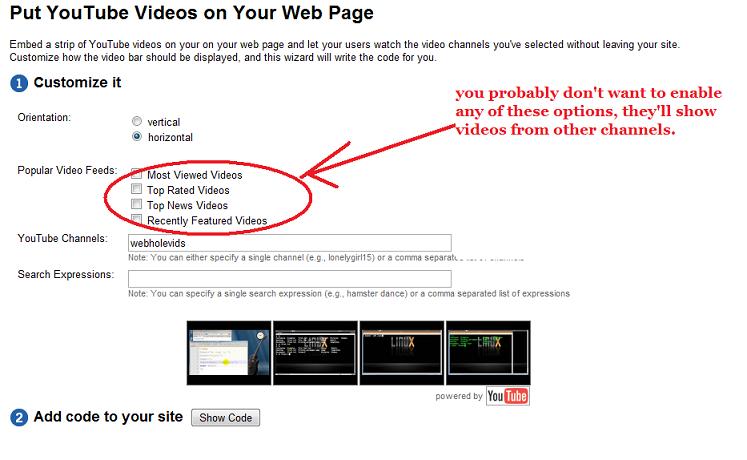
After cutomization all you have to do is click the button that says “Show Code”, and copy and paste all the green code where you want the video strip to appear.
Performance Tip: I recommend however, that you cut out the following code from what they give you and put this where you want the strip to appear.
  <div id="videoBar-bar">
    <span style="color:#676767;font-size:11px;margin:10px;padding:4px;">Loading...</span>
  </div>
And put the rest of the code at the bottom of your page, right before your </body> tag, this will improve the time it takes for your strip and the whole website to load, you should do the same with other widgets you embed 🙂